
Simple tools + so much more
Capture.Organize.Mix.
Veora is a small range of Windows apps made to work together: Cap+ Studio for your screenshots and videos, Tab+ Studio for your desktop, Mix+ Studio for your PC's sound.
 Cap+ Studio
Available
Cap+ Studio
Available
A screenshot, a video, an edit. Without switching apps.
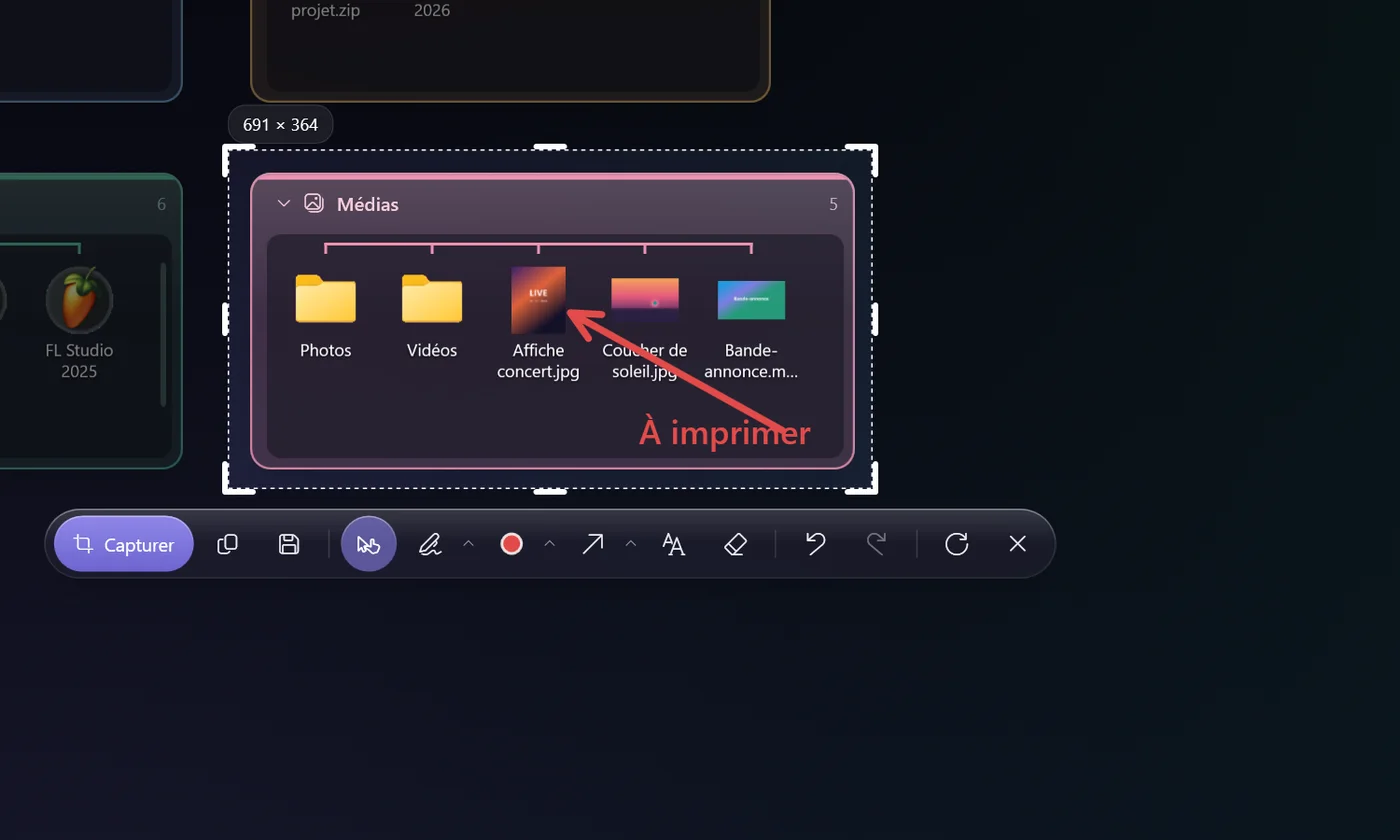
A shortcut opens the capture bar. One click grabs the window under your mouse, a drag selects an area. Then you annotate, trim, and paste into Discord.
- Screenshots and videosPNG on a frozen screen, GPU-accelerated MP4 video (NVENC, Quick Sync, AMF), GIFs and audio.
- PC sound and mic, separatelyEach source has its own output and level meter, without touching Windows' default device.
- Annotation and quick editingArrows, text, blur, layers; trim, join clips, add a sound, export.
- Ready to pasteThe video is copied as soon as recording stops: Ctrl + V pastes it into Discord or a folder.
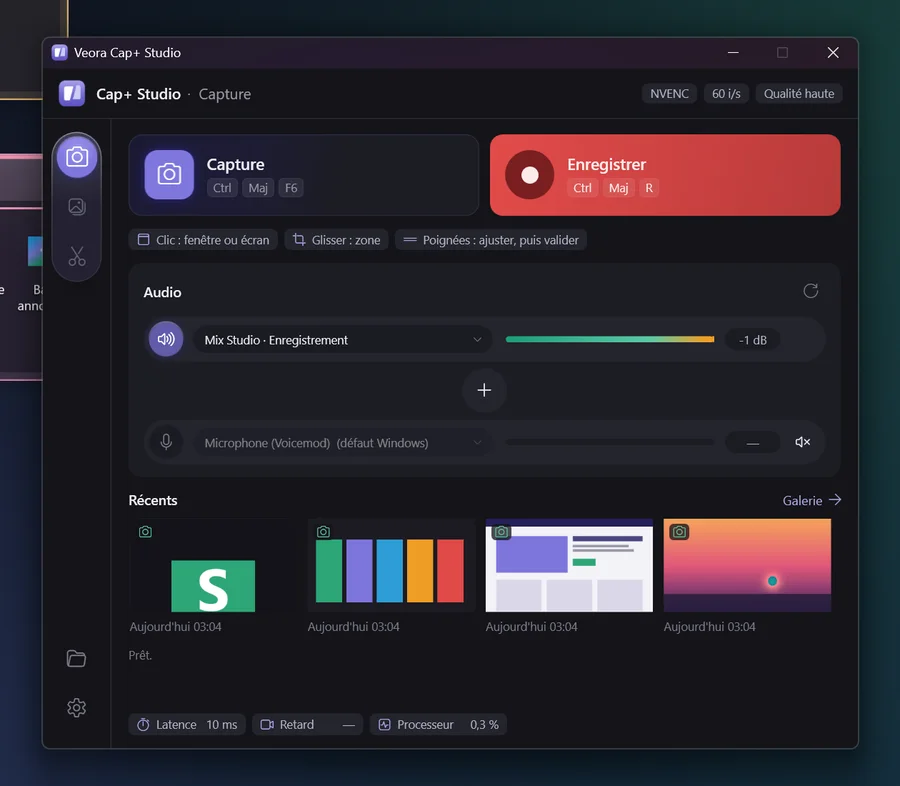
Cap+ Studio gallery 8 images · click to enlarge
 Tab+ Studio
In development
Tab+ Studio
In development
A tidy desktop that stays tidy.
Glass zones for your icons, a search that starts as soon as you type, Gaming and Work pages. And your zones stay put when you switch screens or resolutions.
- Zones, tabs and railsDraw a zone with a right-click. Snapped to the edge, it tucks away into a tab; several tabs form a rail.
- Instant searchType on the desktop: matching icons light up right where they are. “cs” finds Clip Studio.
- Zones that fill themselvesToday's downloads, recent files, a live folder, your clipboard history.
- Multiple screensEach screen, at each resolution, keeps its own layout. Unplug a screen and its zones move to the main one.
Tab+ Studio gallery 9 images · click to enlarge
 Mix+ Studio
Version 0.1 in testing
Mix+ Studio
Version 0.1 in testing
Every app’s sound, set channel by channel.
Spotify on the speakers, Discord in the headset, the game on both. Mix+ Studio captures each app’s sound directly, with no virtual cable to install.
- One row per sourceMics, apps, system sound: a fader, a level meter, and one dot per output to route it.
- Effects per sourceEQ, gate, compressor, reverb, delay and noise suppression for the mic, with your own presets.
- ScenesGaming, Stream, Chat: volumes and routing change in one click.
- Headset / speakers switchOne click moves everything that's playing from one output to the other, and changes Windows' default output.
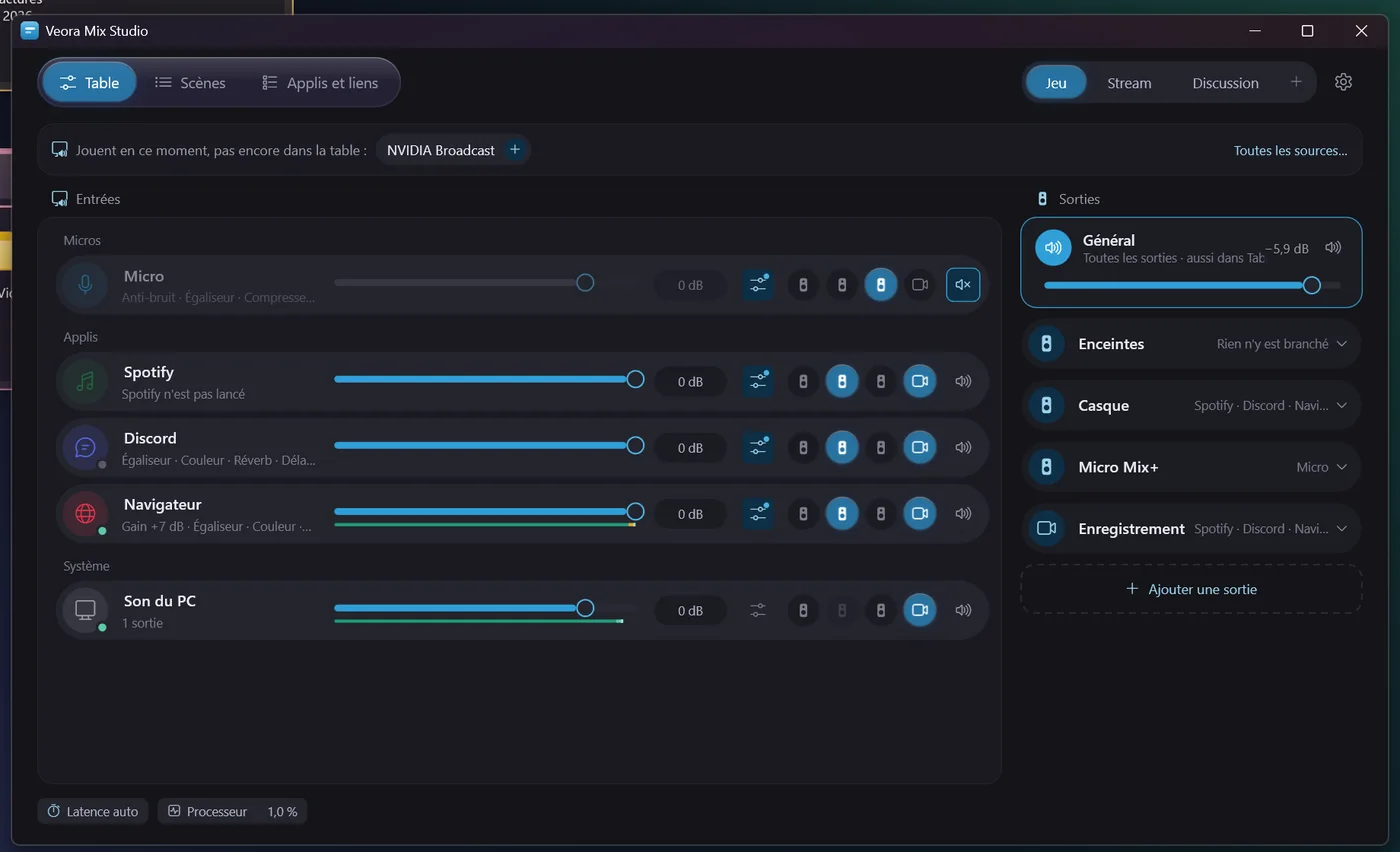
Mix+ Studio gallery 6 images · click to enlarge
The Veora range
Each works on its own. Together, they talk to each other.
Veora apps recognize each other and hand off to one another, with no setup. If one isn't installed, the others simply do without it.
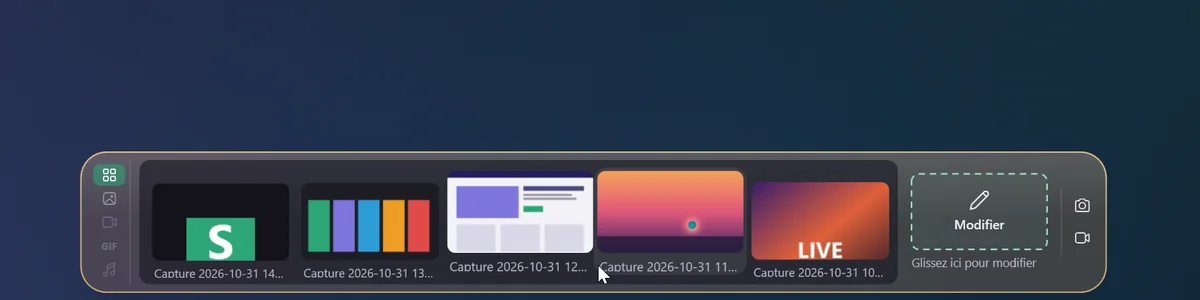 Your captures on the desktop
Tab+ Studio shows your latest Cap+ Studio captures in a zone or a dock at the edge of the screen, with the capture buttons at the end.
capture photo zone
 Drag to edit
Drop an image or a video on the “Edit” tile and it opens in Cap+ Studio’s annotation or video editor.
editer <fichier>
 Volume at your fingertips
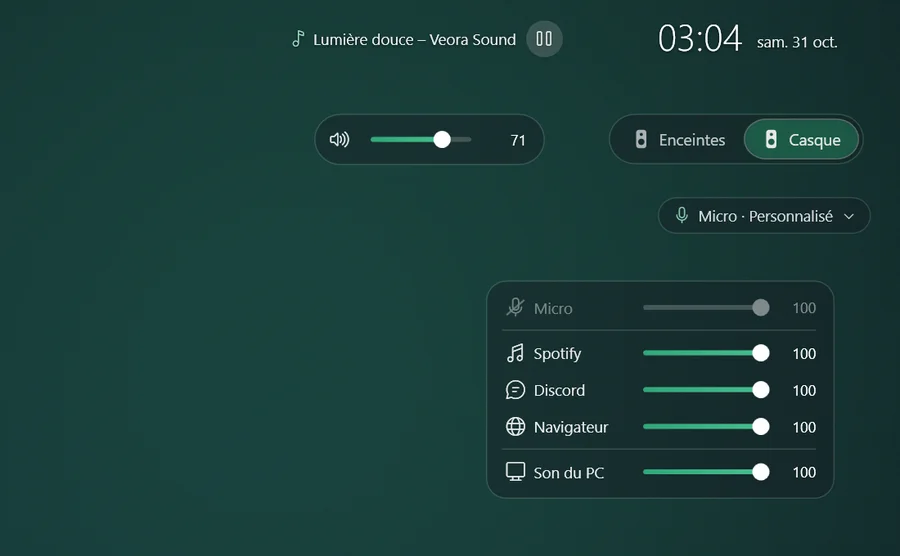
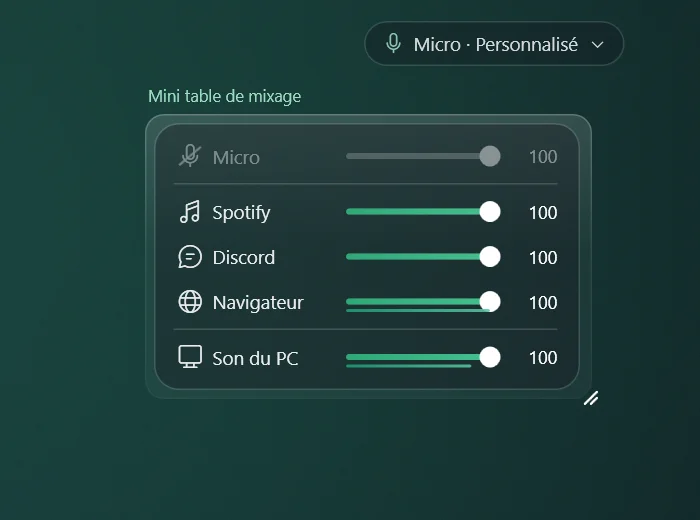
The Tab+ Studio widget sets Mix+ Studio’s main volume, switches between headset and speakers, and changes presets.
basculer